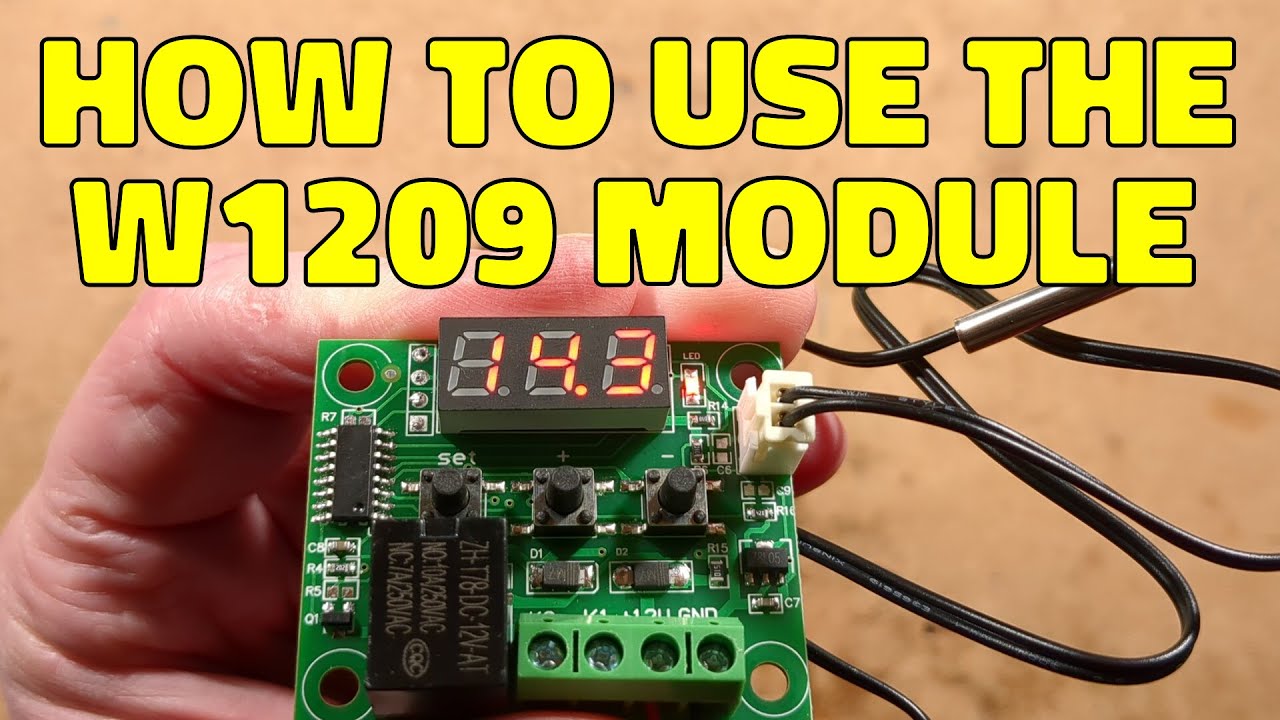
There are a huge number of very useful electronic "building block" modules available from the main Chinese suppliers. I think they're probably intended for use in Chinese industry, but they are also very fun as electronic Lego for technical people.
This module is the W1290 thermostatic controller, which probably has one of the lowest component counts I've seen in a circuit like this. It's like they stripped it to the absolute bare minimum.
In a way the minimal component approach is perplexing, but also slightly inspiring in how to optimise design.
Here's how you program and use your module. It has non volatile memory, so it will remember your settings.
These modules usually just operate in degrees celsius. There is no option for selecting Fahrenheit.
To reset to factory defaults, press and hold the plus and minus keys until the display shows all 8's.
To change the temperature, press the SET button briefly and then adjust the temperature with the plus and minus buttons. The unit will store your setting and revert back to the normal display after a few seconds.
To program the parameters, press and hold the SET button until the display shows P0. Then use the plus and minus buttons to step through parameter P0 to P6.
To change a setting, select the parameter number and press SET again, then adjust the parameter with the plus and minus buttons.
Here's what the different parameters do:-
P0 lets you choose between H or C for Heating or Cooling. It dictates whether the relay turns on above or below the set temperature.
P1 is the hysteresis setting. It lets you choose the number of degrees between the on and off state. If you set it to 2 then in a heating application where the thermostat was set for 20C, it wouldn't turn on again until the temperature dropped 2 degrees below the set point. It means the heater would turn off at 20C but not turn on again until the temperature drops to 18C. Its purpose is to reduce the amount of relay/load cycling.
P2 lets you set the maximum temperature that the user can adjust to. For instance you may set a maximum of 25C for an office environment to stop people just ramming the stat all the way to the max to "turn the heating on".
P3 lets you set the minimum temperature that the user can adjust to.
P4 lets you calibrate the sensor. If you use an accurate thermometer to measure the temperature, then you can nudge the calibration of the NTC thermistor up or down 10 degrees celsius in 0.1C steps to match. Calibration is best done at around the correct temperature for the application.
P5 is a delay option to protect things like refrigeration compressors against cycling too frequently or trying to start while still under pressure. You can set it between zero (no delay) and 10 in 1 minute increments.
P6 is a bit odd. It is intended to indicate an over-temperature situation. It can be turned off or on, and when on you can then set the alarm threshold temperature. But all it does when it reaches that temperature is show a row of dashes. There's no actual alarm output signal. It could still be useful to indicate relay failure though.
The module is intended for use at 12V, preferably a stable and regulated 12V DC supply. The relay has "dry contacts" also known as volt-free contacts and while the relay markings suggest that it can switch 10A at 250V AC I wouldn't ever trust it for handling that current. If switching a high load it is better to use an external relay, as a more rugged relay can be used and it is easier to replace if it fails.
To switch a relay or other small 12V load you will need to connect one side of the load to the negative of the 12V supply and then loop the positive of the 12V supply to the contacts and then to the load.
Here is a link to the item on AliExpress (not a sponsor).
This is an affiliate link, but that will not affect the price you pay.
https://s.click.aliexpress.com/e/_c3ACXJpV
Cost is typically less than £2 shipped!
If you enjoy my videos and would like to support me with a dollar or two for coffee, cookies and gadgets to take apart, you can do so by supporting me on Patreon. I release videos without adverts for critique and feedback on Patreon as soon as they have been made. I also release Patreon-only backstage videos when I'm working on shows.
https://www.patreon.com/bigclive
Alternatively, for a single coffee contribution you can use PayPal:-
https://www.paypal.com/paypalme/bigclive
#ElectronicsCreators
...
https://www.youtube.com/watch?v=F_1QJfvPkm0